Building Offline-First Mobile Applications
Architecture patterns for mobile apps that work reliably in disconnected environments.
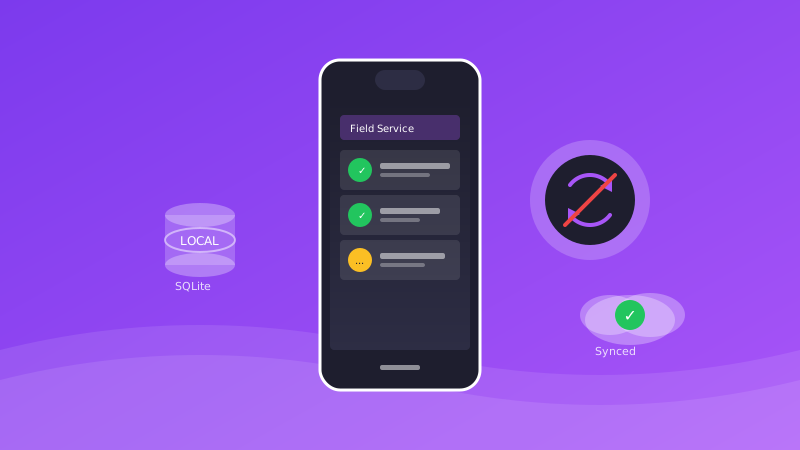
Many mobile app users face unreliable connectivity. Whether it's field technicians in basements, sales teams on airplanes, or users in rural areas, offline functionality is critical for app success.
Why Offline-First?
Offline-first isn't just about handling network failures. It's about:
- **Better User Experience**: Apps respond instantly without waiting for network calls
- **Reliability**: Users can work regardless of connectivity
- **Battery Efficiency**: Fewer network requests mean longer battery life
- **Reduced Data Usage**: Sync only what's changed
Architecture Principles
Local-First
Data is stored locally first, then synced to the server. The local database is the source of truth.
Eventual Consistency
Accept that data will be temporarily inconsistent. Design for this reality.
Conflict Resolution
When the same data is modified offline by multiple users, you need strategies to resolve conflicts.
Technical Implementation
Local Database
SQLite (via React Native SQLite) or Realm provides robust local storage. Consider WatermelonDB for React Native with sync capabilities.
**Sync Engine**: Build or use a sync engine that handles: - Change tracking - Batch uploads when online - Delta downloads - Conflict detection and resolution
Network Status Monitoring
Use libraries like @react-native-community/netinfo to detect connectivity changes.
Background Sync
On iOS and Android, use background task APIs to sync data when the app isn't active.
Sync Strategies
Last-Write-Wins
Simple but can lose data. Suitable for non-critical data.
Version Vectors
Track version history to detect conflicts. Requires more complex merge logic.
CRDTs
Conflict-free Replicated Data Types automatically merge without conflicts. Best for collaborative features.
UX Considerations
Sync Status Indicators
Show users when data is syncing, synced, or pending.
Conflict UI
When automatic resolution isn't possible, provide clear UI for manual resolution.
Graceful Degradation
Some features may not work offline. Communicate this clearly.
Testing Offline Scenarios
Simulate Network Conditions
Use tools like Network Link Conditioner to test various connectivity scenarios.
Test Sync Conflicts
Create automated tests that simulate multiple users editing the same data.
Stress Test
Generate large volumes of offline changes to test sync performance.
Real-World Results
For a field service app we built:
- 100% functionality while offline
- Average sync time under 5 seconds when reconnecting
- 95% technician adoption
- 4.8-star app store rating
Conclusion
Offline-first development requires more upfront investment but dramatically improves user experience and reliability. Start with clear sync requirements and build from there.
Want to discuss this topic?
Schedule a call with our engineering team to explore how these concepts apply to your project.